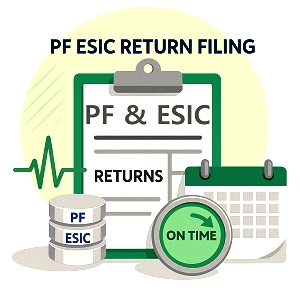
What are PF and ESIC?
Employees’ Provident Fund (EPF) is a retirement-savings and social-security framework. Contributions are reported member by member, generally using the EPFO’s Electronic Challan-cum-Return (ECR) system. The employer must ensure that wages, member identifiers and contribution values are accurate before the return and payment are completed.
Employees’ State Insurance (ESI) is a social-insurance scheme that provides covered employees and eligible family members with benefits prescribed under the ESI framework. Employers report employee-related contribution details and pay the applicable contribution through the ESIC employer services.
PF and ESIC are different compliances, even when the same payroll team manages both. Eligibility, wage definitions, contribution rates, portal workflows and supporting records are not interchangeable.
Who needs PF and ESIC compliance?
Applicability must be assessed separately for EPF and ESI. Establishment type, employee count, location, wage level, existing coverage, exemptions and specific notifications can affect the result. Do not decide eligibility using employee count or salary alone without checking the applicable law and establishment history.
EPF / EPFO checks
- Confirm whether the establishment is covered or has opted for coverage.
- Review the employee membership rules and previous EPF membership.
- Collect each covered member’s UAN and correct joining or exit information.
- Check the wage components and contribution treatment for each employee.
ESIC checks
- Confirm whether the establishment and work location fall within notified coverage.
- Review the employee wage ceiling and eligibility conditions.
- Verify the employee’s insurance number and relevant personal/employment details.
- Update new joiners, exits, wage changes and other required particulars.
ESIC employer guidance describes coverage for notified factories and establishments and generally identifies an employee wage ceiling of ₹21,000 per month, with a higher ceiling for persons with disabilities. State notifications and the current official rules should be checked for the particular case.
What is EPF ECR filing?
The Electronic Challan-cum-Return (ECR) is the employer’s monthly member-wise contribution filing for the EPF and linked schemes. It includes member identifiers and wage/contribution data used to calculate statutory dues. The EPFO introduced a revamped ECR system applicable from wage month September 2025, so employers should follow the current employer-portal workflow and latest instructions rather than relying only on old screenshots or outdated articles.
Typical ECR data to verify
- UAN and employee name/member information
- EPF, EPS and EDLI wage values as applicable
- Employee and employer contribution amounts
- Non-contributory (NCP) days and relevant wage-period details
- New joiners, members who left, and eligible arrear details
- Challan, payment reference and return submission status
Once the ECR data is prepared and validated, the employer completes the portal’s prescribed review/finalisation steps, generates the applicable challan, makes payment and saves the confirmation. The exact screen labels and validations may change when EPFO updates its portal.
What is ESIC contribution filing?
ESIC contribution filing involves reporting the applicable employee and wage-period details and paying the employer and employee contributions through the ESIC employer portal. The insured person’s insurance number, contribution wages, days and amount should agree with payroll records.
Before submitting monthly contribution data, reconcile joiners, exits, wage changes, leave or unpaid days and any other relevant employee status changes. Review portal-generated contribution totals and confirm that the payment is completed successfully.
PF and ESIC contribution rates
Rates are subject to the relevant scheme, eligible wages, employee status, statutory limits, exemptions and any special provisions. The examples below are common reference points, not a substitute for payroll-specific calculation.
| Compliance | Common reference | What to verify |
|---|---|---|
| EPF | A 12% contribution rate is common for covered establishments and members. | Applicable wage base, eligible membership, permitted lower rate or exemption, and current EPFO instructions. |
| Employer EPF share | Employer contribution is allocated among applicable EPF-linked components, including pension contribution where applicable. | The full employer share is not necessarily credited to the EPF account as a single amount; scheme limits and member eligibility affect allocation. |
| ESI employee share | 0.75% of applicable wages is the commonly published rate. | Employee coverage and any applicable exemption from the employee share. |
| ESI employer share | 3.25% of applicable wages is the commonly published rate. | Covered wages, employee status and current ESIC instructions. |
Always calculate contribution from the correct statutory wage components. Do not simply apply a percentage to gross salary without checking the applicable definitions, ceilings and treatment of allowances.
PF and ESIC monthly due dates
EPF and ESIC are generally recurring monthly compliances. Build a calendar by wage month and do not wait until the final day to resolve UAN, insurance-number or payroll differences.
| Compliance | General timeline | Recommended action |
|---|---|---|
| EPF ECR and contribution payment | Generally by the 15th of the month following the wage month. | Validate member-level data, finalise the current ECR, generate the challan and complete payment in time. |
| ESIC contribution payment | Generally within 15 days of the last day of the calendar month for which the contribution falls due. | Submit/check contribution data and complete payment through the ESIC employer portal. |
Documents and payroll data required
Good payroll records make accurate filing easier and help explain a contribution difference during an inspection, audit or employee query. Keep the relevant information securely and restrict access to authorised personnel.
How to file PF and ESIC returns online
The precise menu and steps can vary with the current EPFO or ESIC portal. A reliable monthly workflow is:
- Close payroll: finalise salary, paid days, unpaid days, joiners, exits and arrears for the wage month.
- Verify employee records: check UAN, ESIC insurance number, name, wage data and status changes.
- Calculate statutory contributions: apply the correct wage definitions, contribution rates and member eligibility rules.
- Prepare EPF ECR: log in to the EPFO employer portal, use the current ECR workflow, validate the file/data and resolve errors.
- Generate and pay EPF challan: review member totals and contribution liabilities, complete the portal’s challan steps and pay.
- Submit ESIC contribution details: review the wage-period records in the ESIC employer portal and calculate or verify the contribution payable.
- Pay ESIC contribution: complete the applicable payment and confirm the transaction status.
- Archive proof: save filed ECR/return records, challans, payment receipts and a compliance tracker entry for both schemes.
Never treat a generated challan as proof of payment by itself. Confirm the payment status and retain the acknowledgement or receipt produced by the relevant portal/bank.
Payroll reconciliation checklist
Reconcile the payroll system, contribution upload and payment totals before closing the month. Differences should be investigated and documented rather than adjusted without a clear reason.
| Check | Compare | Why it matters |
|---|---|---|
| Employee count | Payroll register vs member list in the portal | Helps identify missing joiners, incorrect exits or employees omitted from the return. |
| Wages and days | Payroll wages, contribution wages and attendance/NCP days | Reduces errors in contribution calculation and employee records. |
| Contribution amount | Payroll calculation vs ECR/ESIC portal totals | Helps find incorrect rates, wage bases or rounding differences. |
| Challan and payment | Return liability vs challan amount vs successful bank payment | Prevents treating an unpaid or failed transaction as completed compliance. |
| Corrections and arrears | Previous-period changes vs current adjustment records | Creates an audit trail for later queries and corrections. |
Common PF and ESIC filing mistakes
If the portal rejects a file or flags a difference, read the exact validation message, correct the source record and use the prescribed correction workflow. Keep a record of what changed and why.
Late payment and compliance risks
Delayed contribution payment or inaccurate statutory records can lead to interest, damages, recovery action, notices or other consequences under the applicable law. The result depends on the scheme, period, facts, applicable provisions and any notification or relief available. Do not rely on a generic late-fee figure for every case.
Incorrect employee records can also create problems when employees check their EPF passbook, pension-related records, ESIC contribution history or benefit eligibility. Correct payroll and portal data promptly and maintain evidence of any correction.
Frequently Asked Questions
What is the difference between EPF ECR and ESIC contribution filing?
EPF ECR reports member-wise EPF-linked wages and contributions through EPFO’s system. ESIC contribution filing records the relevant employee contribution data and payment through ESIC services. They are separate filings with separate eligibility and calculation rules.
What is the general EPF ECR due date?
EPF contributions are generally due by the 15th of the month following the wage month. Check current EPFO portal instructions and any period-specific extension.
When should ESIC contributions be paid?
The general timeline is within 15 days of the last day of the calendar month for which contributions fall due. Verify current ESIC instructions for the wage period.
Can a business have PF compliance but not ESIC, or the reverse?
Yes. Applicability is assessed under different legal frameworks and depends on establishment coverage, employee eligibility, location and other rules. Check both schemes separately.
Does filing a challan mean the contribution is paid?
No. A challan can be generated before payment. Confirm that the payment succeeded and save the receipt or transaction reference.
What should I do if an ECR upload fails?
Review the portal validation message, verify UAN and wage fields, correct the source data and resubmit through the current ECR process. Keep a copy of the submitted file and the validation result.
Where can I find official PF and ESIC instructions?
Use EPFO’s employer portal and employer guidance, and the ESIC website and employer portal. Since interfaces and rules can change, use current official instructions for the relevant wage month.